
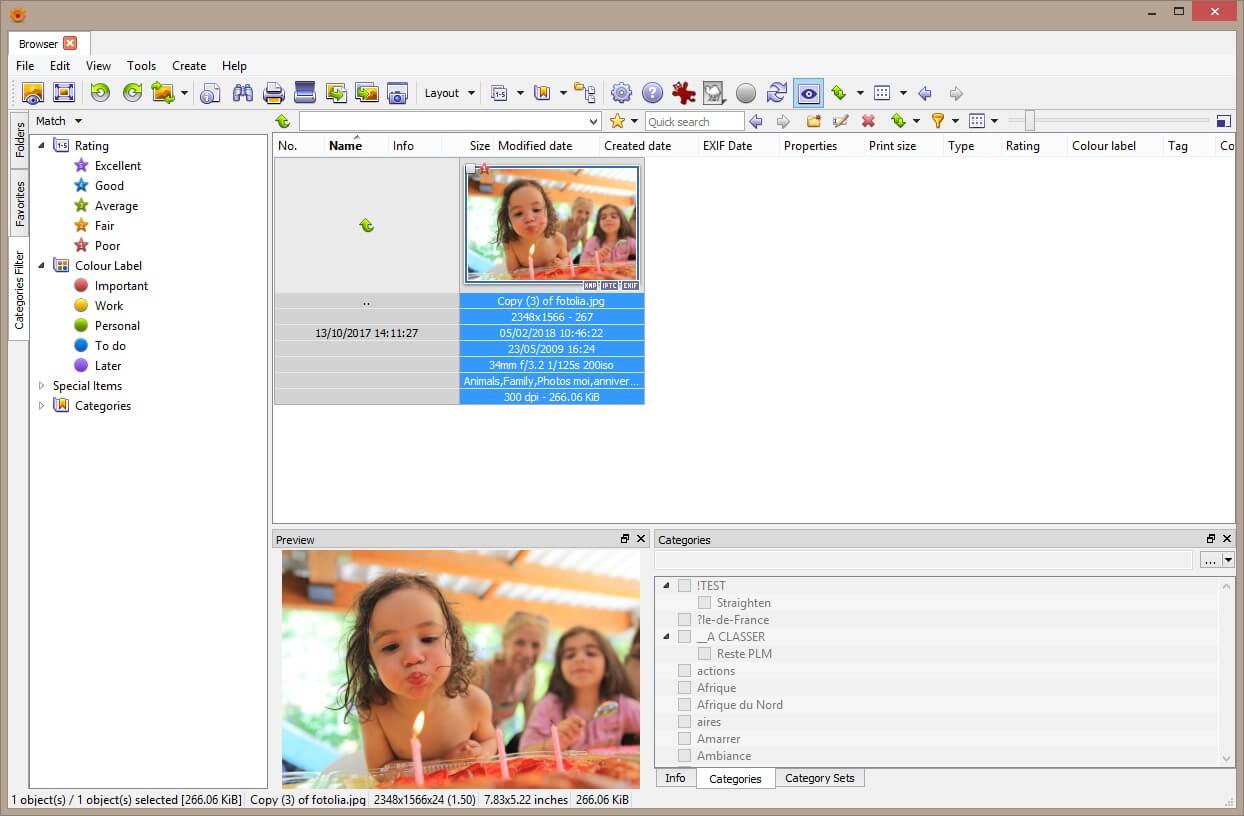
In XnView, select the photo file that you want to resize.
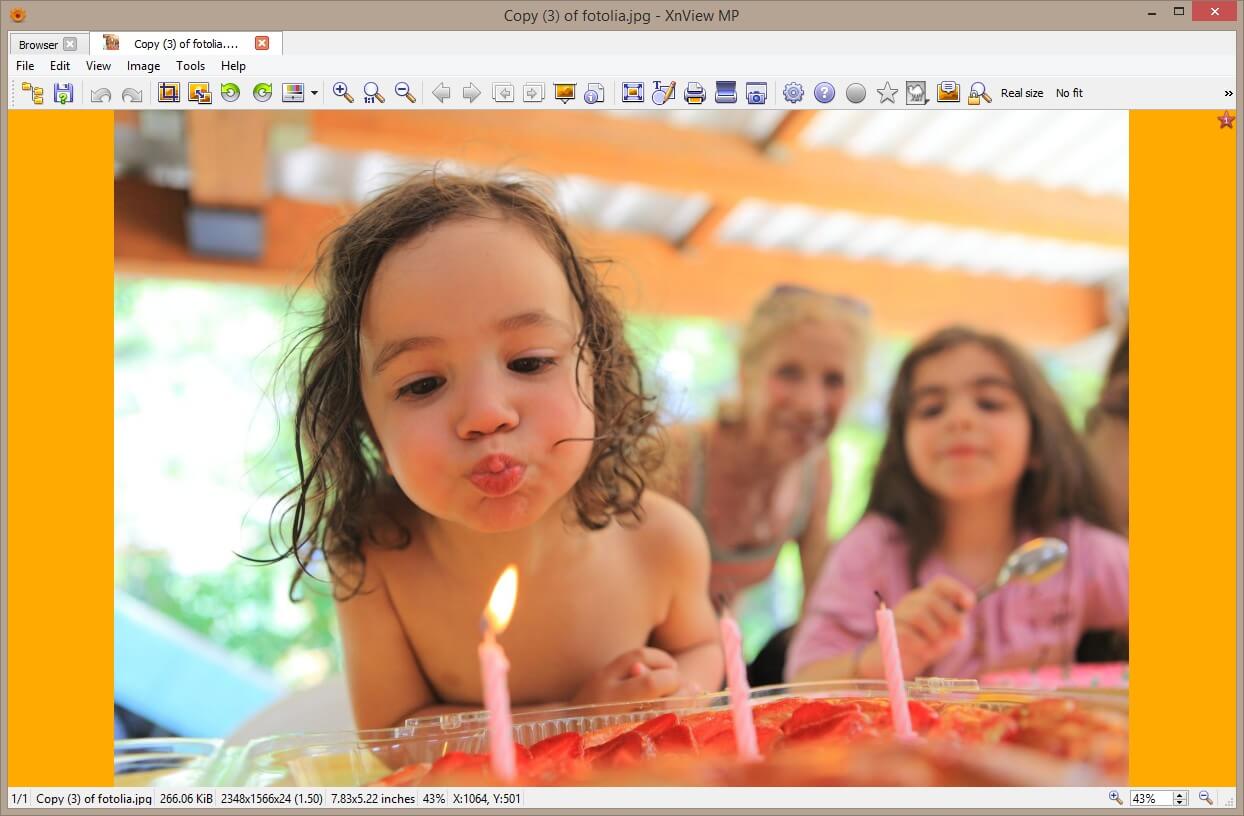
Open the photo in viewer mode. Verify in settings that mouse is correctly configured to select area.
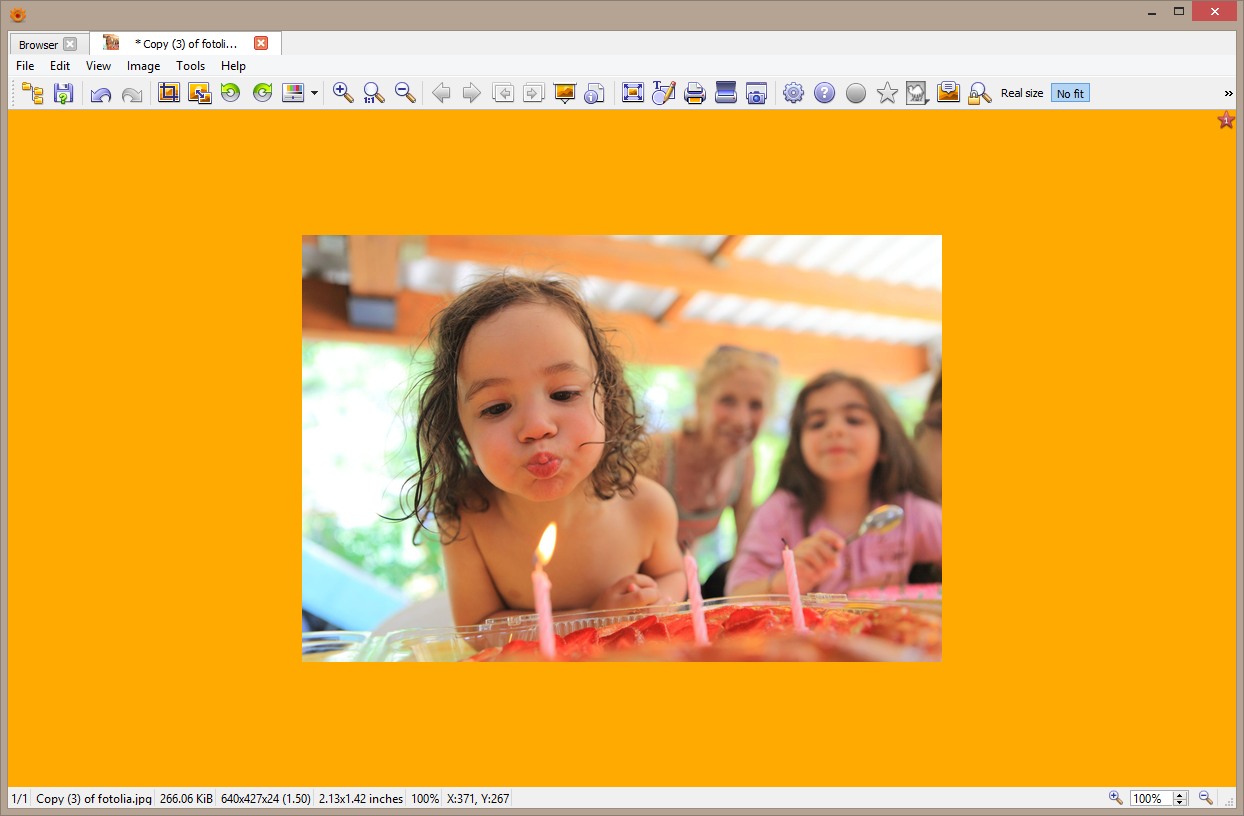
Choose Image>Resize menu item to open Resize dialog, and select the result size
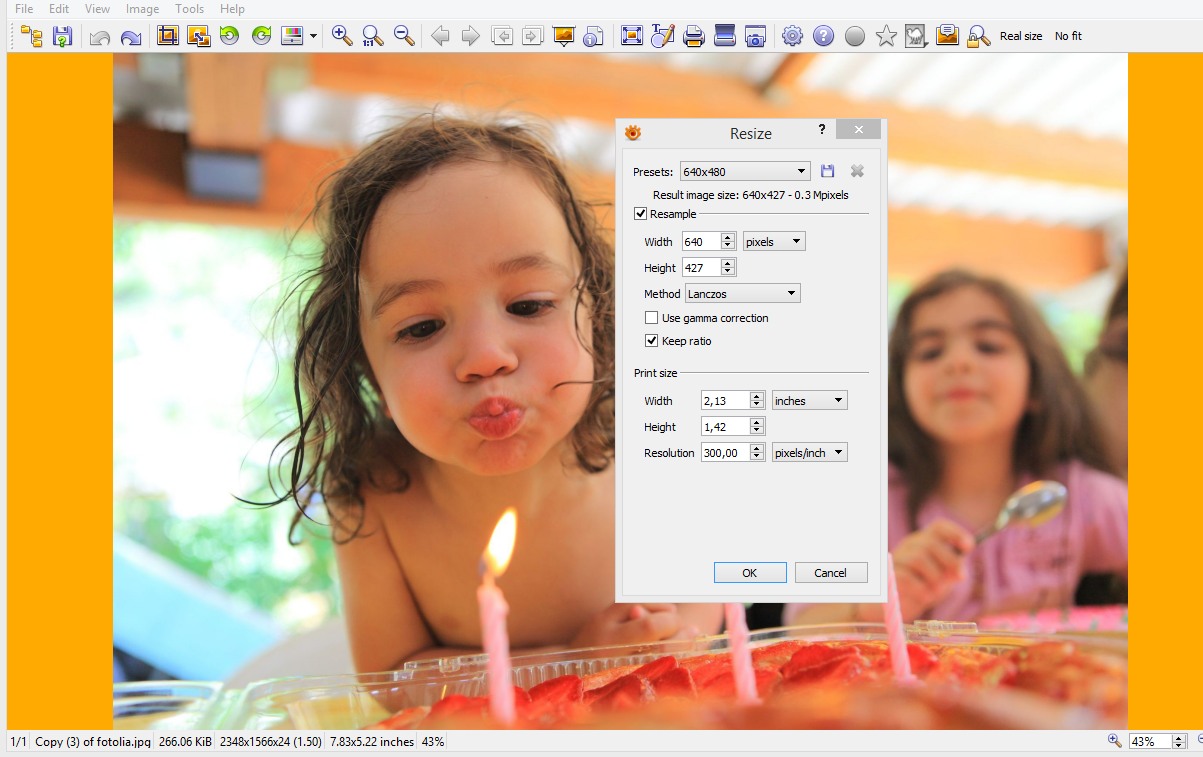
Now your image is resized